Session videos
Organisers can attach one or more recordings to a session. Attendees see YouTube, Vimeo, and Wikimedia Commons links as players on the public session page. Speakers are not asked for this field.
The same links can be saved from the organiser screens or from the Talks API.
Turn Session videos on
Open the event, then open Talks.
Open Call for Proposals, then Forms.
The address is
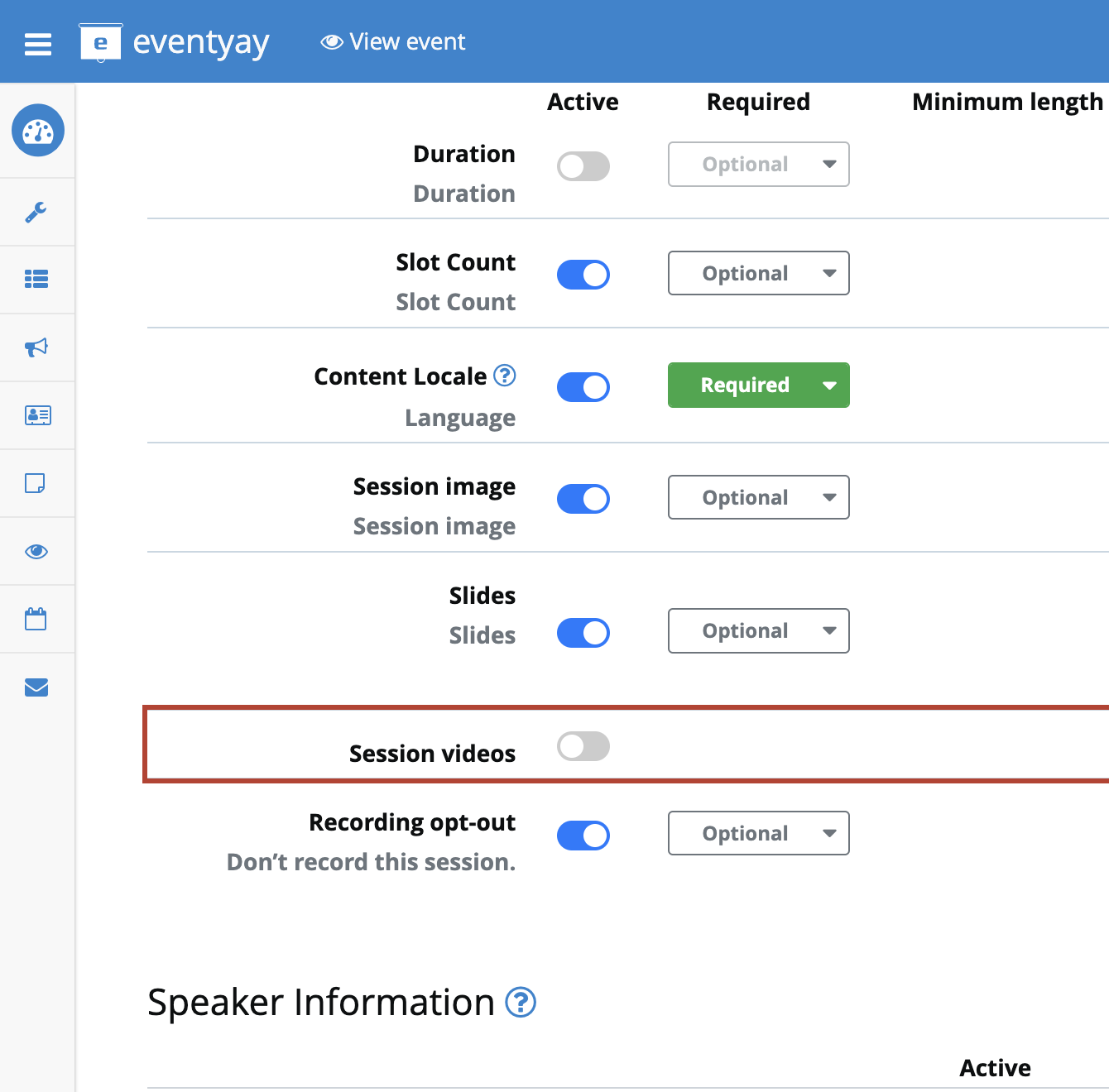
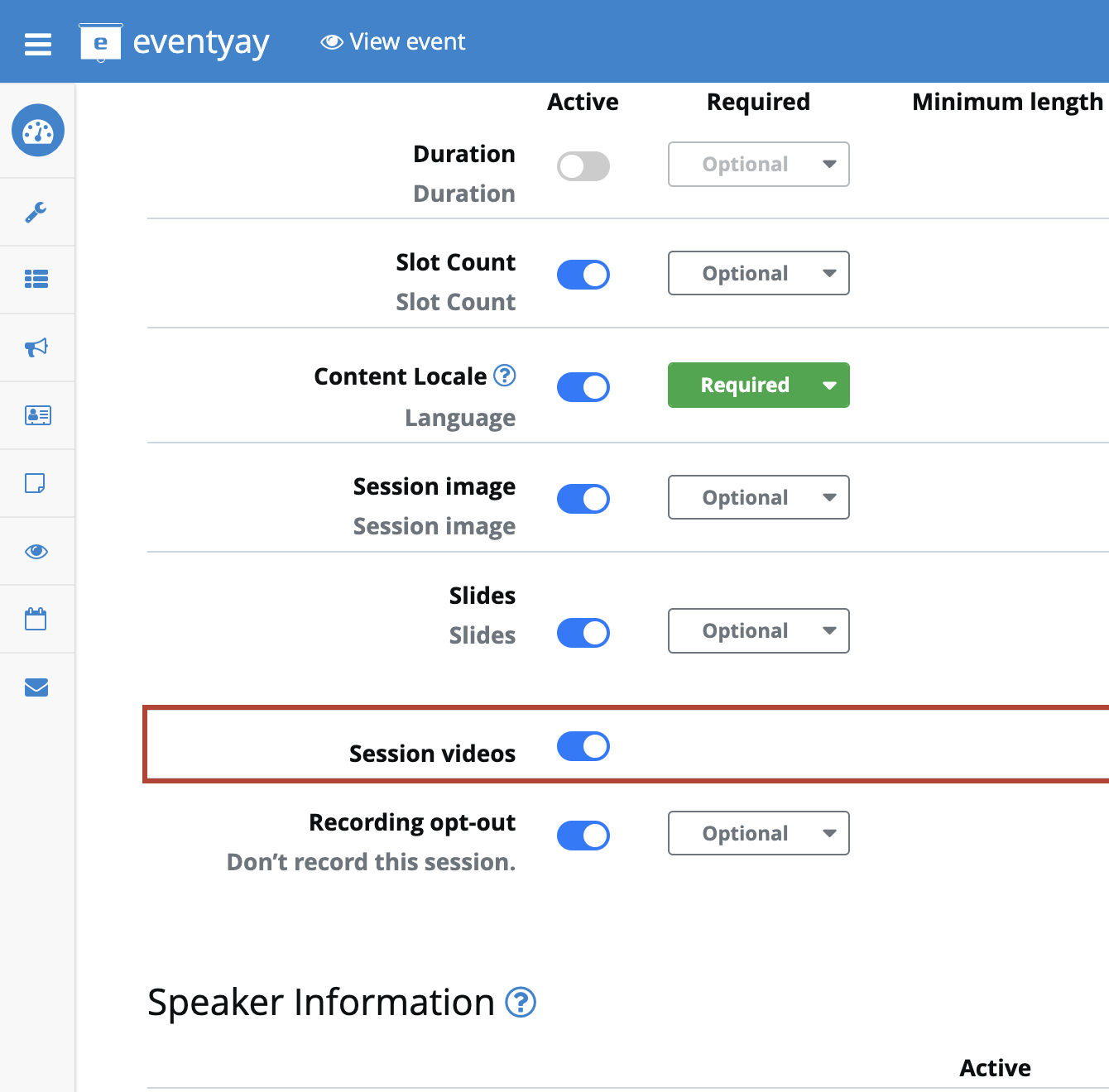
/orga/event/ORGANIZER/EVENT/cfp/questions/.Scroll to the Session videos row. It sits under Slides. It has an Active switch and no Required or Public column.
Turn the switch on, then click Save at the bottom of the page.
Until you save, the Sessions list has no Video column, and the public page
and public API do not show the links. The organiser’s GET /answers/ can
still return saved answers when Session videos is disabled.
Add links in the organiser area
Open Sessions.
The address is /orga/event/ORGANIZER/EVENT/submissions/.
Each row has a Video button. In the example below the event has one accepted session, Opening keynote.
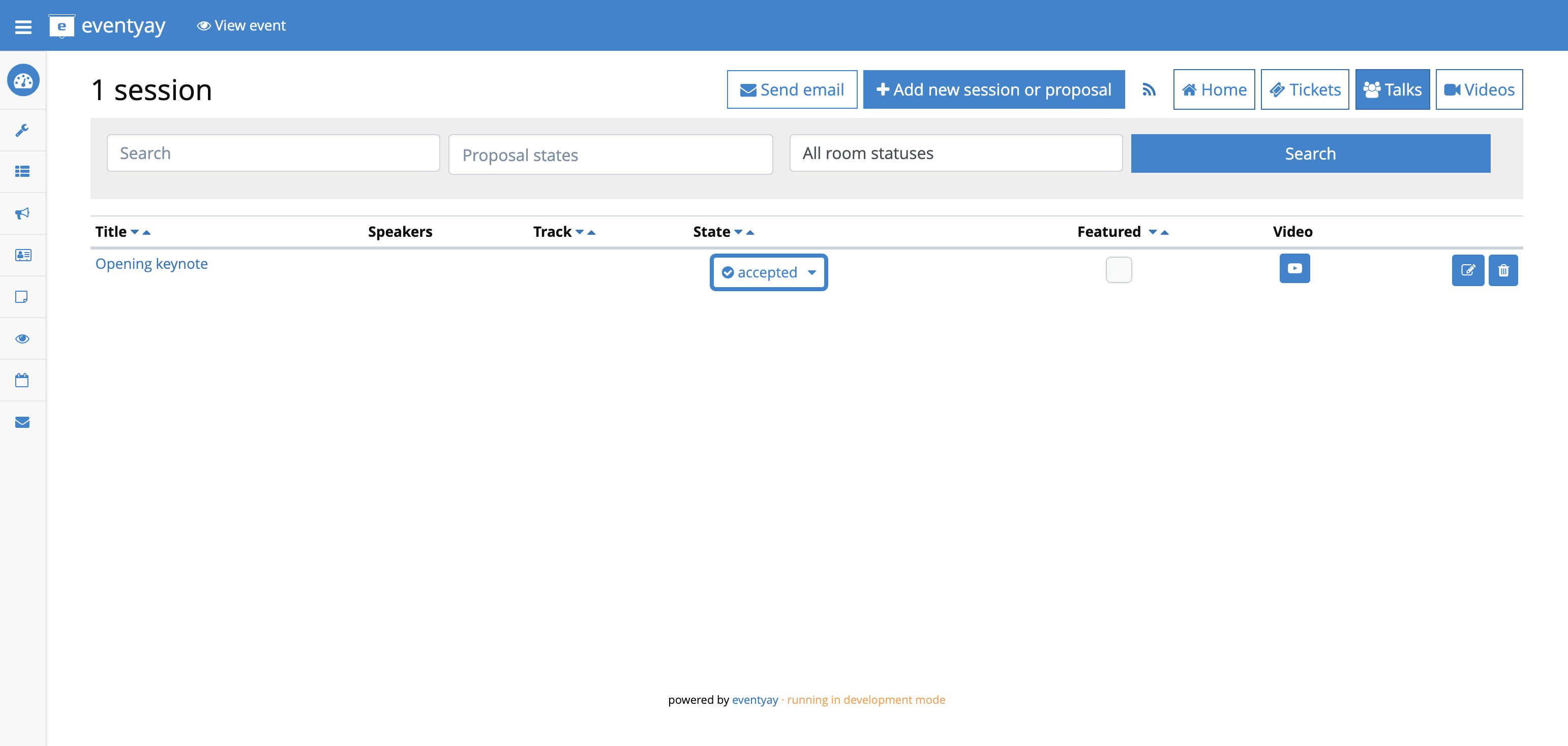
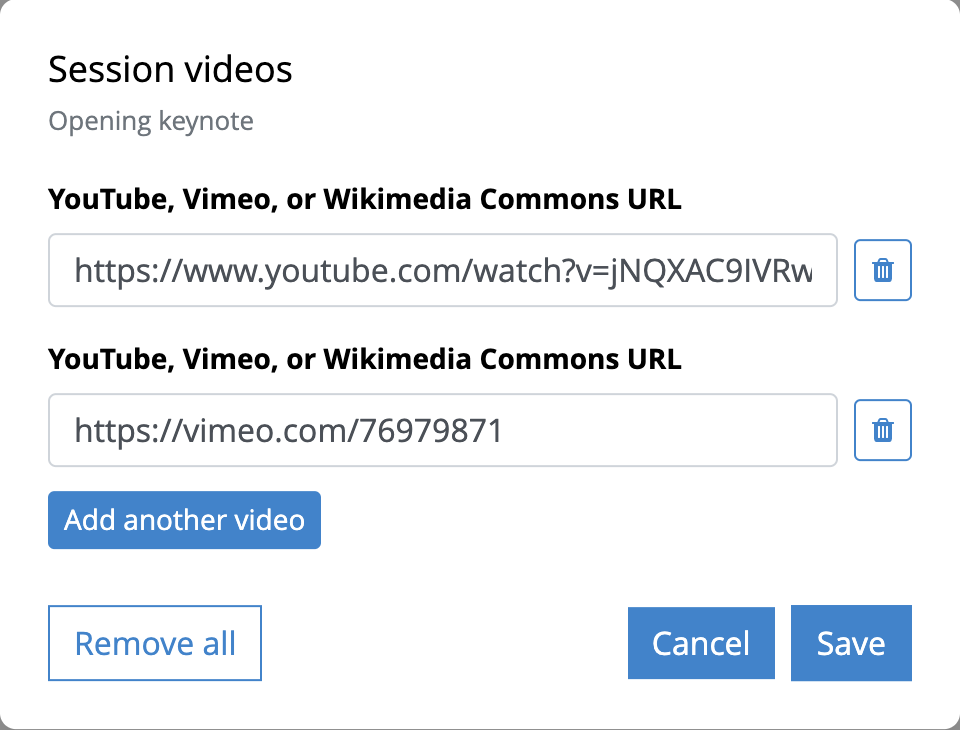
Click the Video button. Paste one address in each field. Use Add another video for a second recording, then click Save.
The session edit page stores the same links, one URL per line. Open the session, then Edit.
The address is /orga/event/ORGANIZER/EVENT/submissions/SESSION_CODE/edit.
The session code is the last part of the session address.
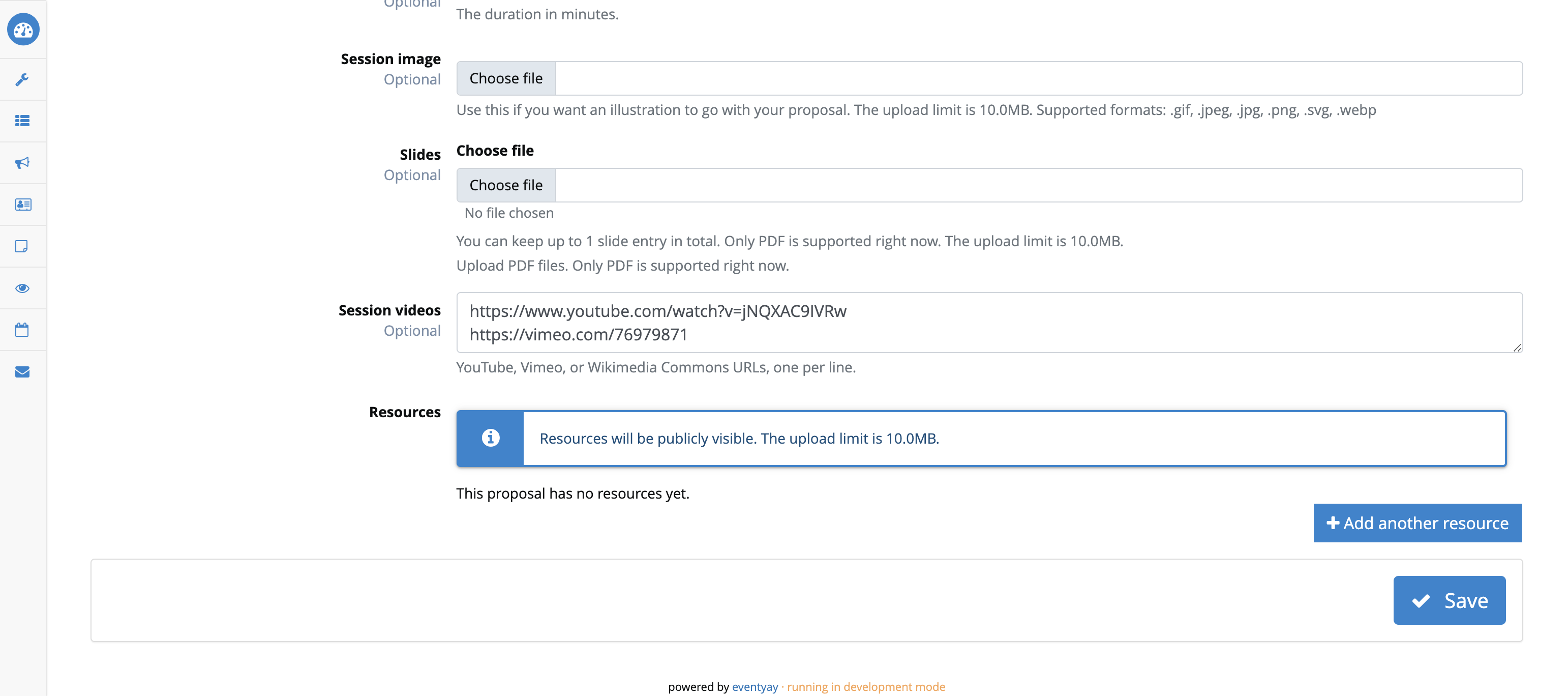
The dialog and the edit box write the same data the API writes.
Save links with the API
Create a token
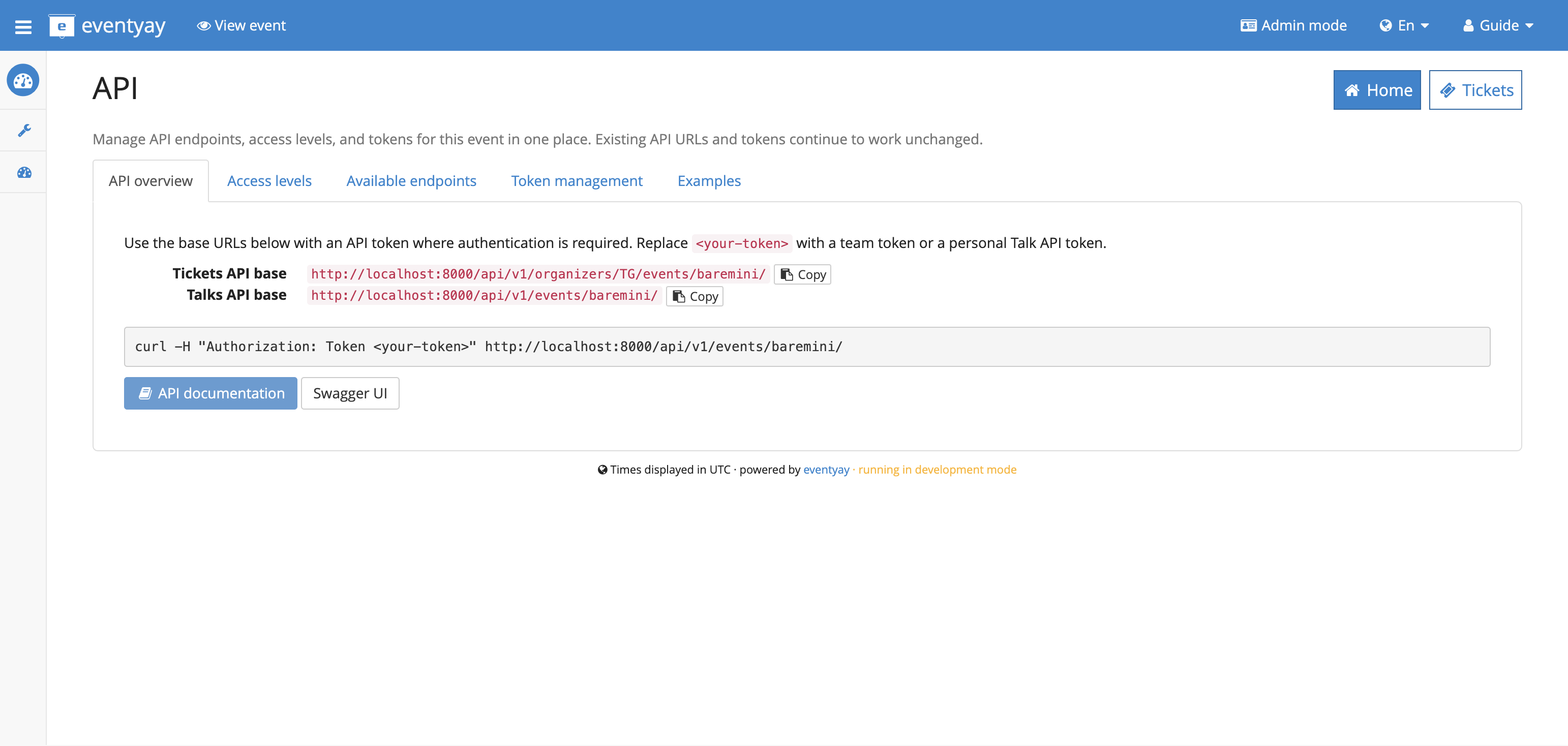
Open the event API page at /common/event/ORGANIZER/EVENT/api/.
Copy the Talks API base URL. It looks like
https://your-site/api/v1/events/EVENT/.
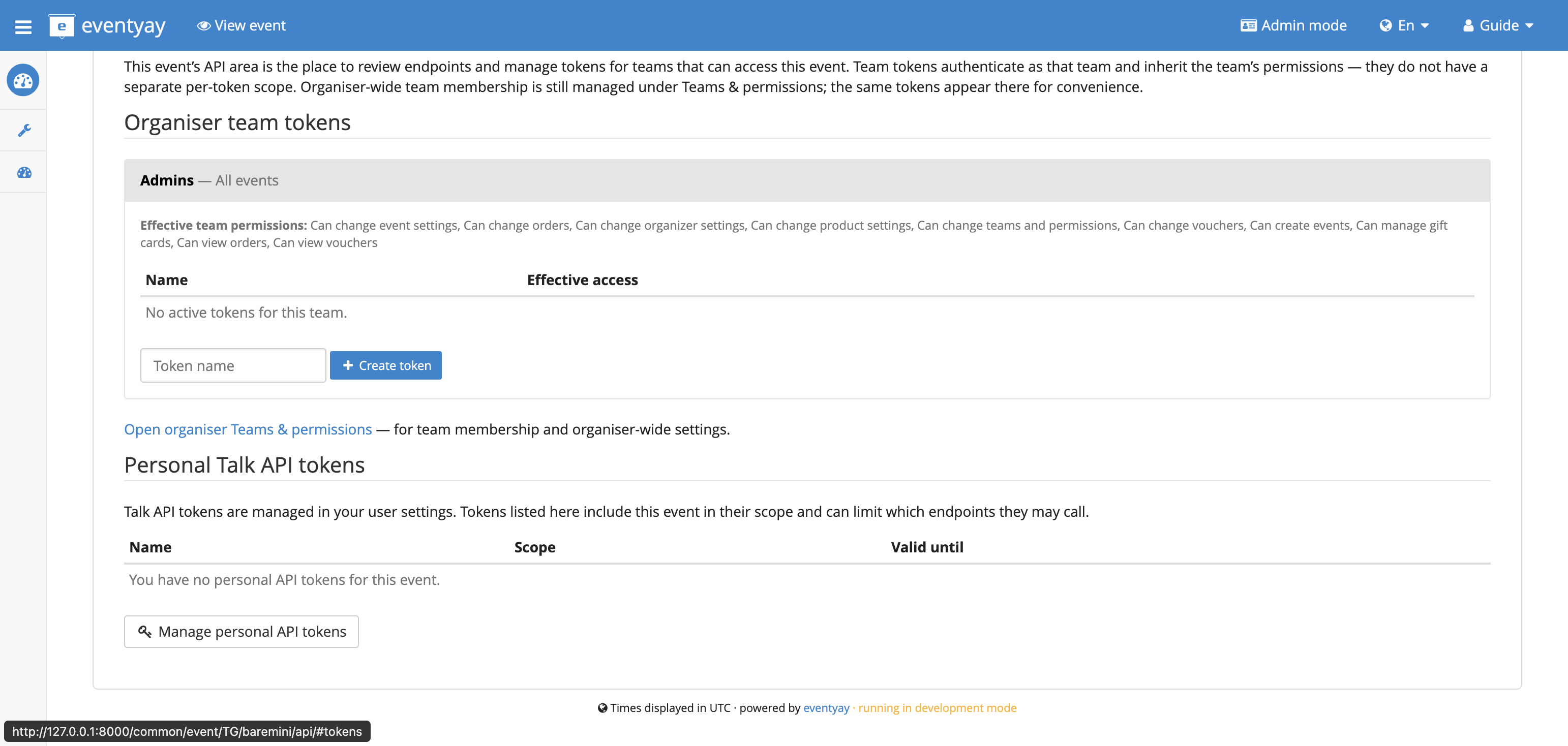
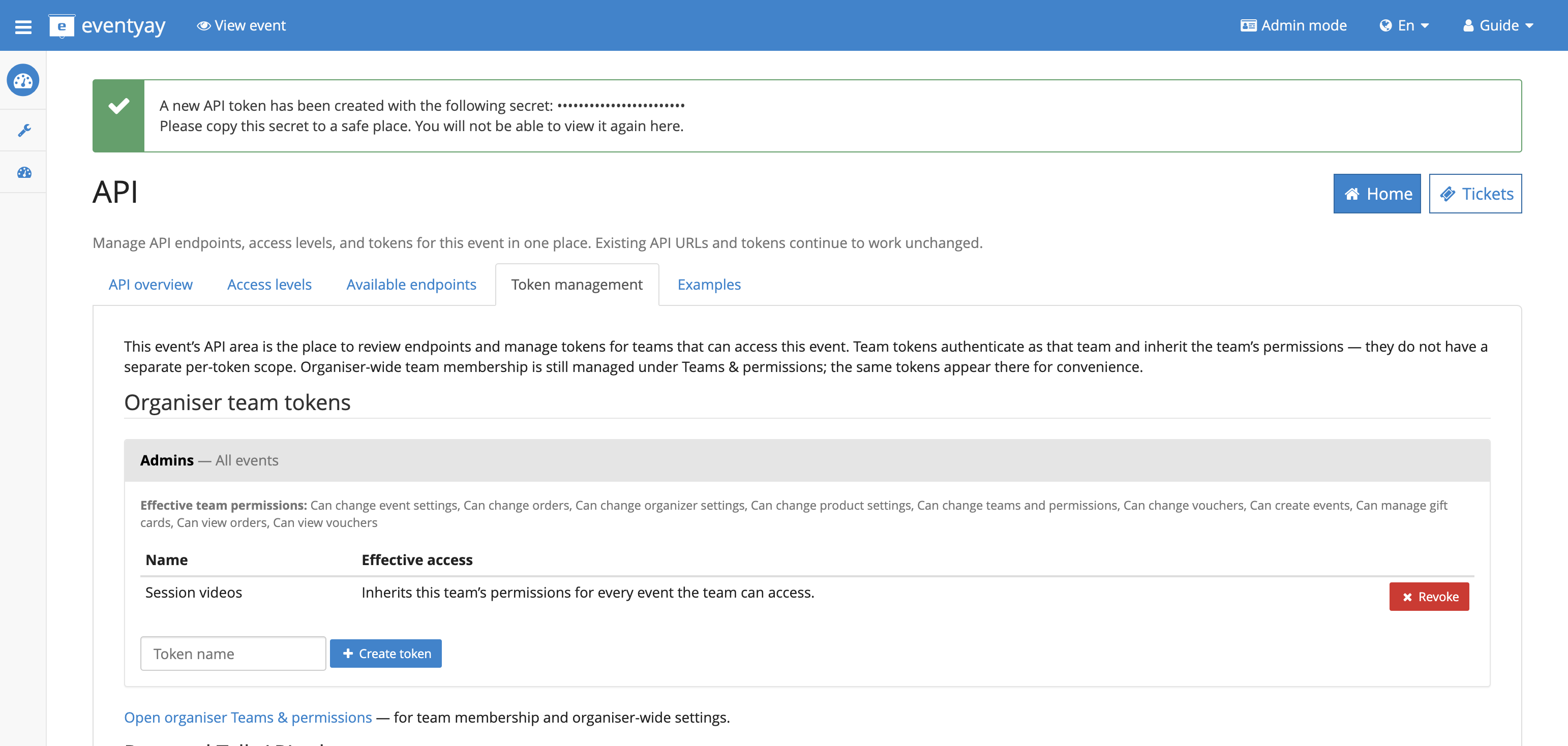
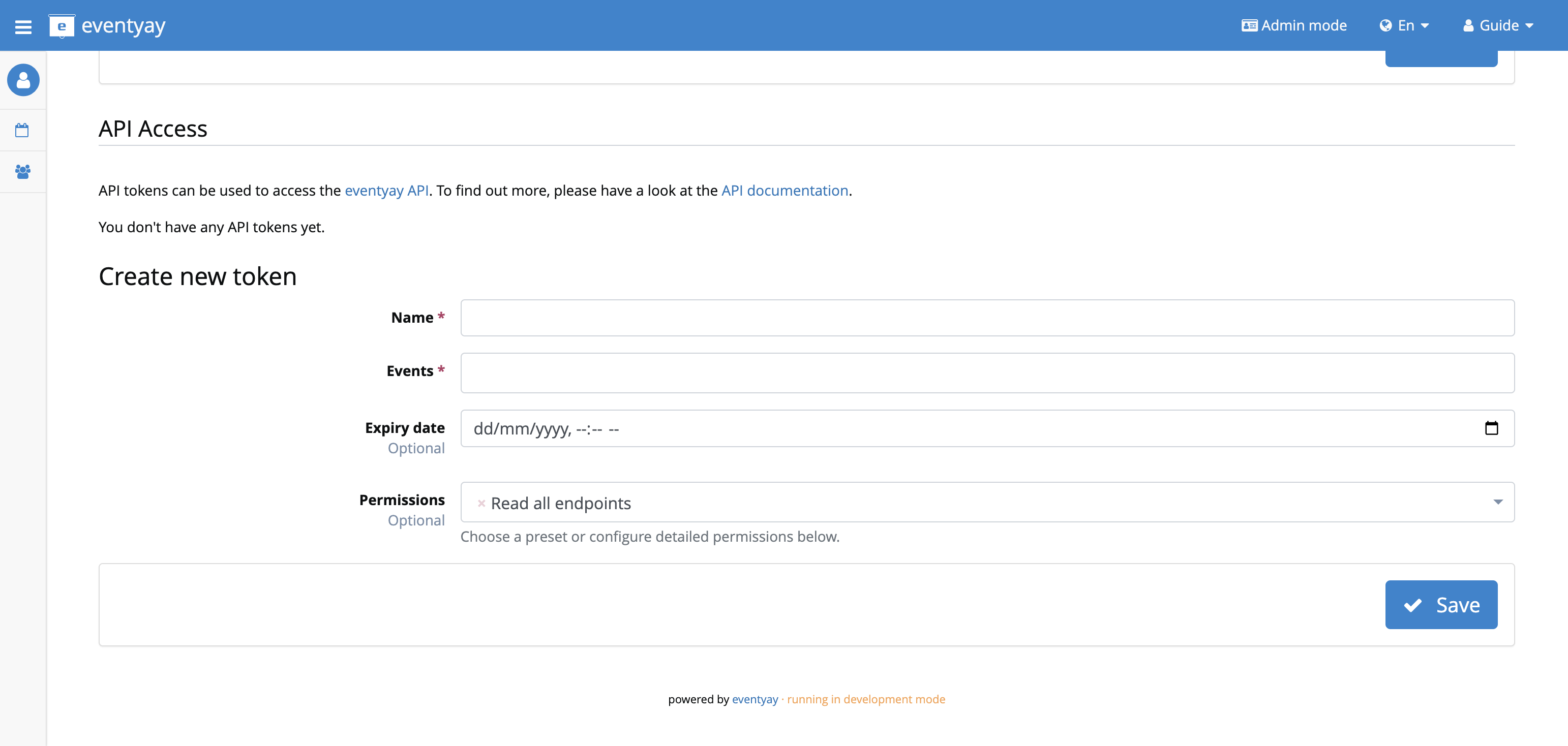
Under Token management, type a name and click Create token. The secret is shown once. Copy it. You cannot open it again. Revoke the token from the same list when you no longer need it.
A personal token is created in user settings at /orga/me, under
API Access. That section is shown when your user belongs to a team.
Limit the token to this event. Keep Read list enabled on questions
and answers. Allow create, update, and delete on answers.
Send it on every request:
Authorization: Token YOUR_TOKEN
Team tokens are described in Token-based authentication. Talk tokens are described in API principles.
Third-party service
If another product calls the API for an organiser, that product uses OAuth:
Open Account, then OAuth applications, then Manage your own apps.
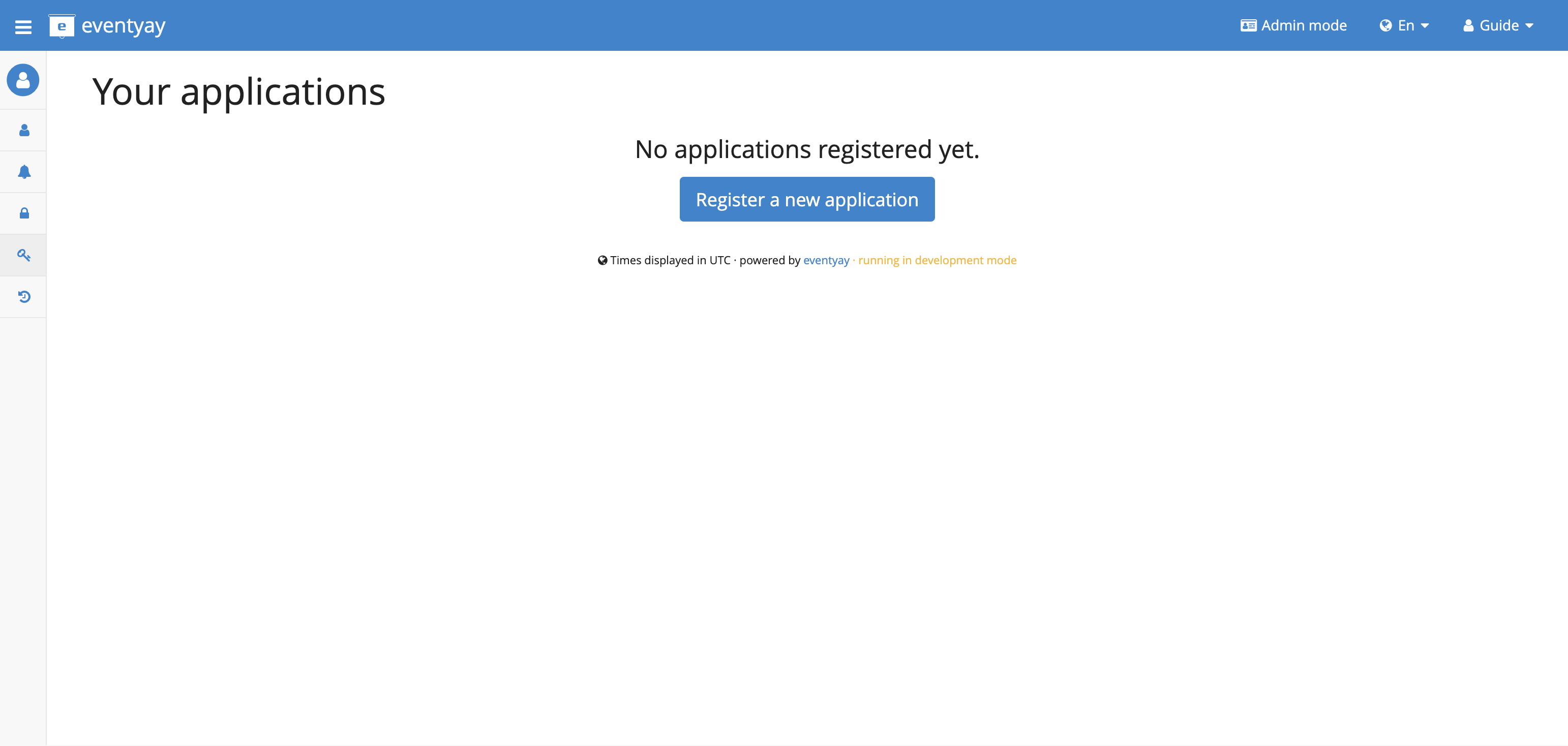
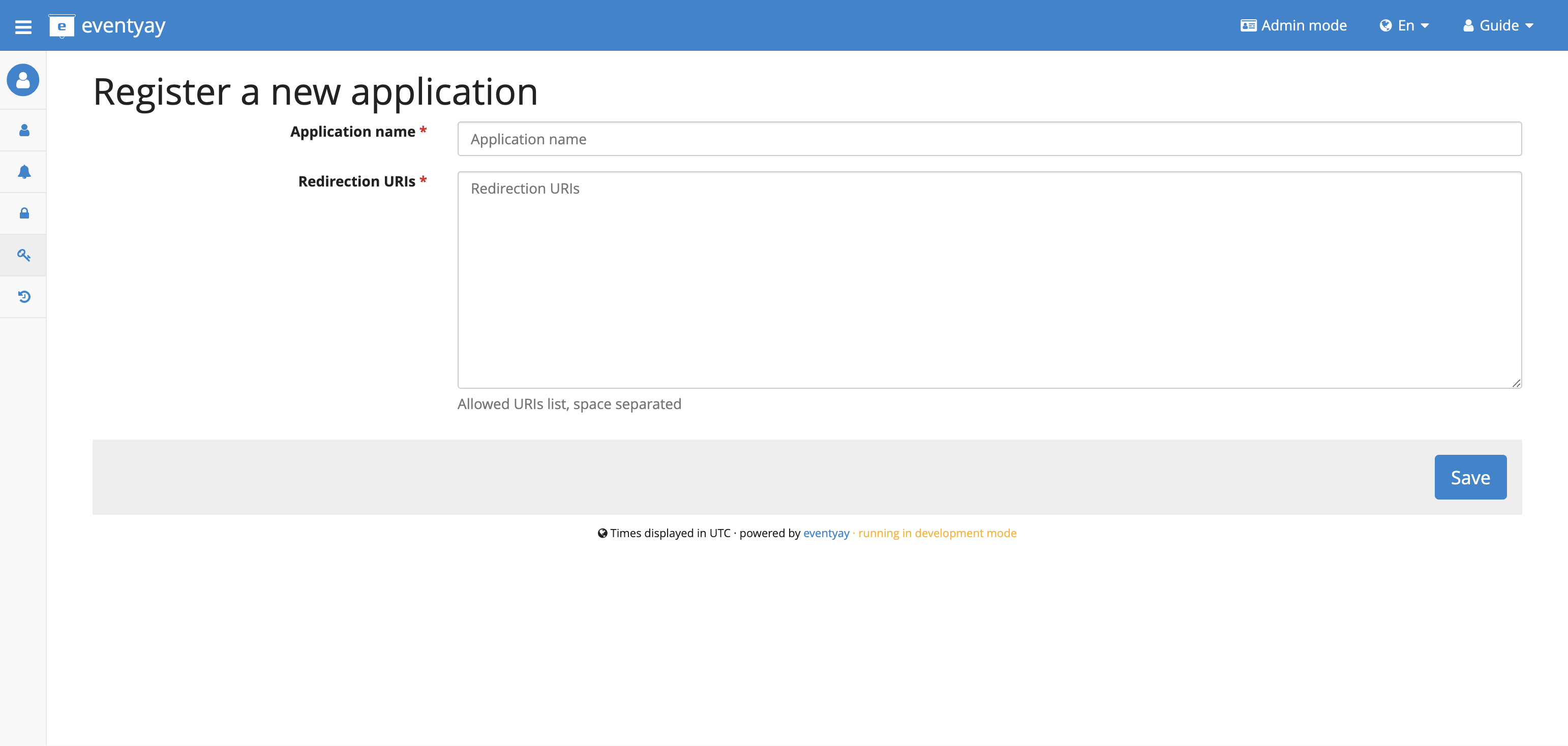
Create an application. Save the client id and client secret. They are shown after you save. The form asks for a name and the redirection URIs of the other product.
Send the organiser through the connect flow with the
read writescope.Call the same URLs below with
Authorization: Bearer ACCESS_TOKEN.
The access token lasts one day. Use the refresh token to get a new one. The full flow is in OAuth authentication.
Find the video question
GET /api/v1/events/EVENT/talkquestions/?variant=video
Authorization: Token YOUR_TOKEN
Use the id of the active video question in the next call.
Save the links
Put one URL per line in answer. Calling this again for the same question
and session replaces the previous text.
POST /api/v1/events/EVENT/answers/
Authorization: Token YOUR_TOKEN
Content-Type: application/json

{
  "question": 12,
  "submission": "SESSION_CODE",
  "answer": "https://www.youtube.com/watch?v=VIDEO_ID\nhttps://vimeo.com/76979871"
}
A successful call returns HTTP 201 and includes the new answer id. Creating a link with a write token returns HTTP 201, and reading it back returns HTTP 200.
The answers API stores the text you send. Only YouTube, Vimeo, and Wikimedia
Commons file pages become players. A link such as https://example.com/not-a-video
is saved and is not shown as a player.
Change or remove the links:
PATCH /api/v1/events/EVENT/answers/ANSWER_ID/
{ "answer": "https://vimeo.com/76979871" }

DELETE /api/v1/events/EVENT/answers/ANSWER_ID/
Read them back:
GET /api/v1/events/EVENT/answers/?submission=SESSION_CODE
Check the public page
Open the public session page once the session is public:
/ORGANIZER/EVENT/talk/SESSION_CODE/
A session becomes public when it is on a published schedule, or when it is marked featured and Talk settings has Show featured sessions set to Always (or to the matching schedule option). An accepted session can also be public when one of its speakers is featured and Show featured speakers is set to Always, even if the session is not featured and no schedule is published. Each embeddable line is a player. Nothing starts until the viewer presses play. A timestamp on the URL is kept.
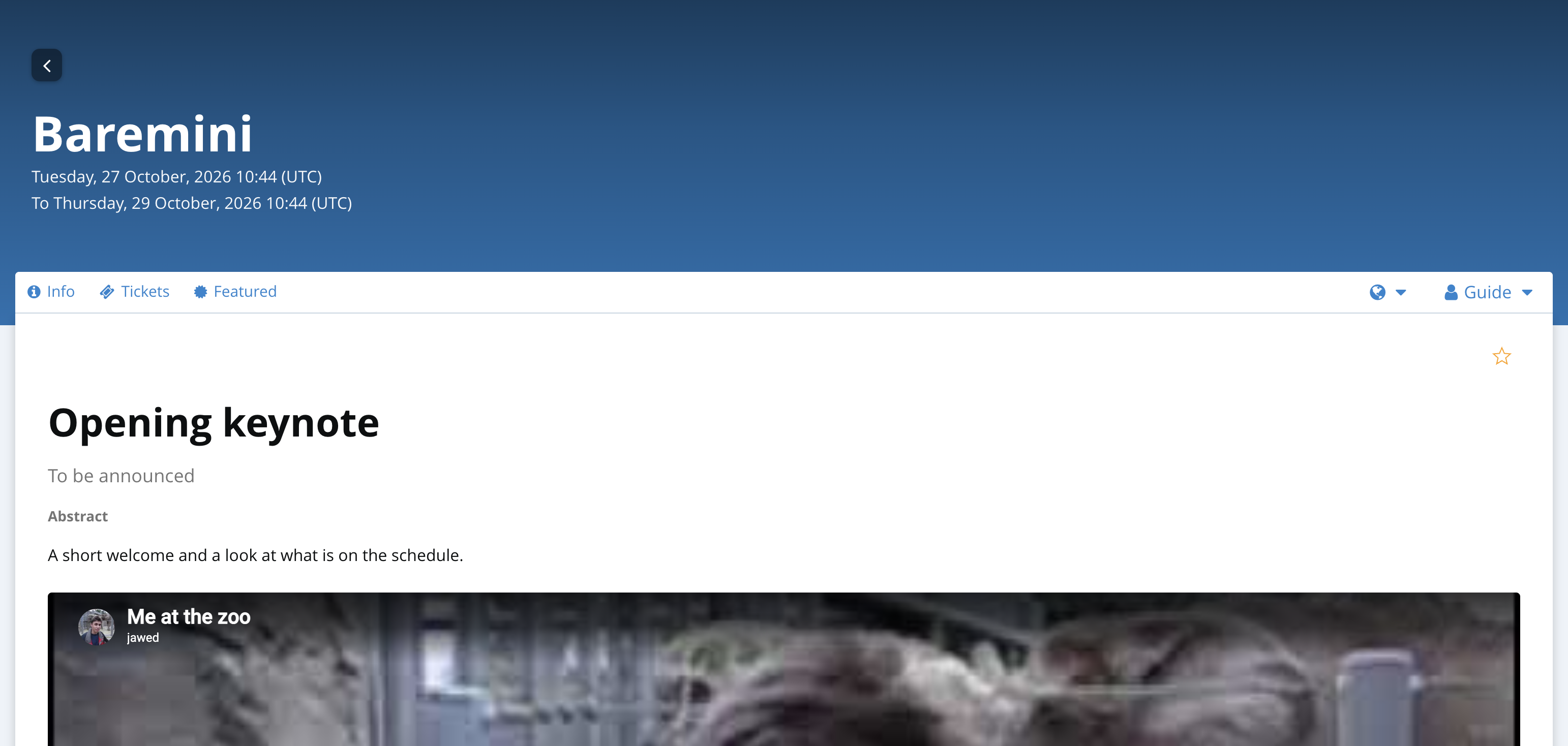
These addresses embed:
YouTube watch,
youtu.be, embed, or shorts links. Time:&t=90,&t=1m30s,&start=125, or#t=30.Vimeo, for example
https://vimeo.com/76979871. Time:#t=1m30sor?t=75.A Wikimedia Commons file page whose file is webm, ogv, ogg, mp4, m4v, mpeg, or mpg.
Other addresses are stored but do not become players. If the session is not public yet, the talk page is not available. The organiser session page still lists the saved links.